

How To Schedule a Facebook Group Post
Updated: Jul 29

Updated July 2026
If you run a Facebook group, you don't need a third-party app to schedule your posts anymore. Facebook lets group admins and moderators schedule a Facebook group post natively, right from the group itself, pick a date and time, and it publishes automatically.
Here's exactly how to do it in 2026, on both desktop and mobile, plus what to do if you manage more than one group.
Who Can Schedule a Facebook Group Post
Only admins and moderators of a group can schedule posts.
Regular members can only post immediately; they won't see a scheduling option at all.

How to Schedule a Facebook Group Post on Desktop
Go to your group and click into the "Write something" box like you're starting a normal post.
Write your post and add any photo, video, or link.
Before you hit Post, look for the calendar/clock icon near the post button (its exact placement shifts slightly with Facebook's redesigns — check the icons in the bottom corner of the composer).
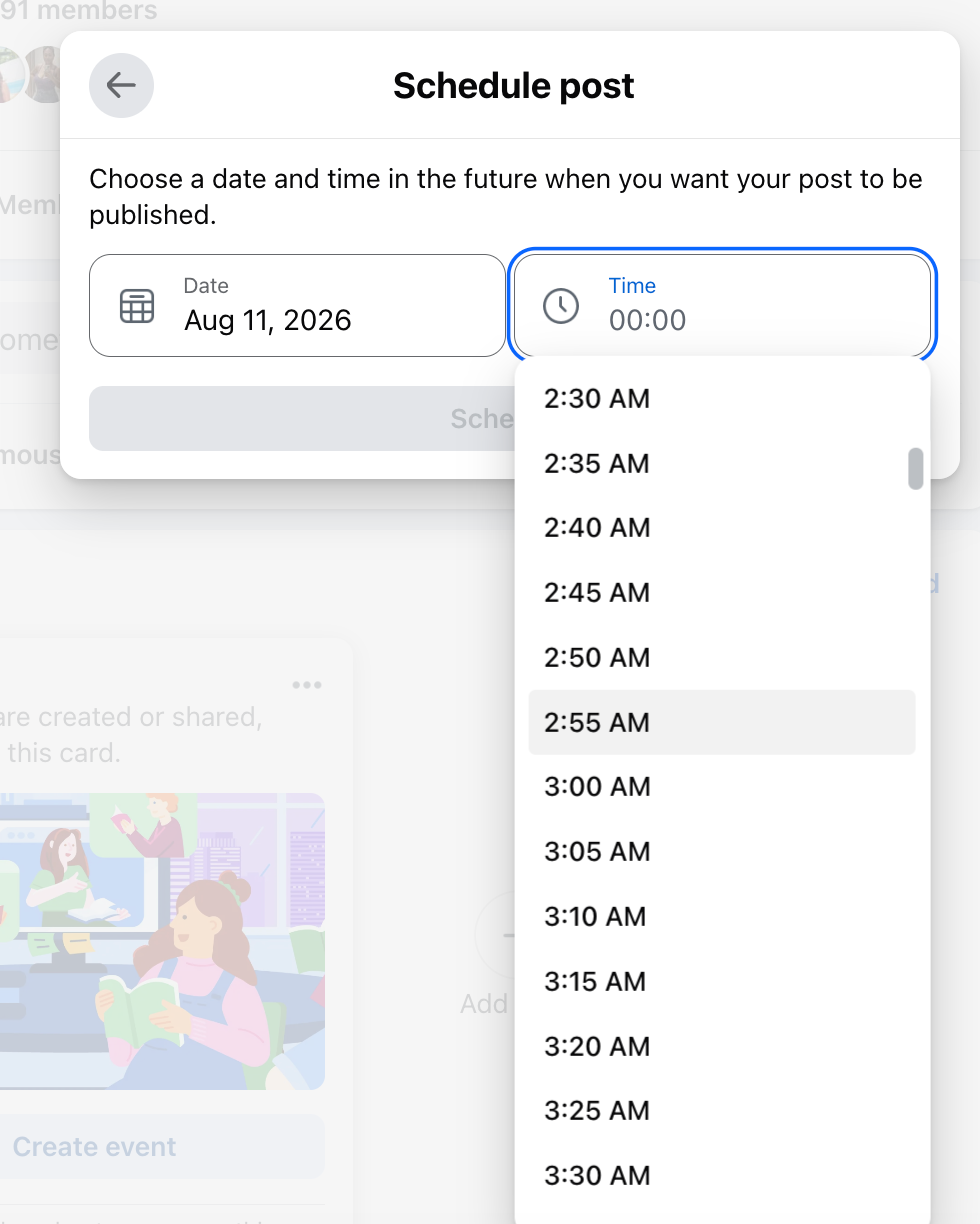
Click it, then choose your date and time.
Confirm, and your post moves into a scheduled queue — visible only to admins and moderators until it publishes.
How to Schedule a Facebook Group Post on Mobile
Open the group in the Facebook app and tap "Write something."
Write your post and attach any media.
Tap the three-dot (•••) menu in the top right of the composer.
Tap "Schedule Post."
Set your date and time, then tap "Schedule" to confirm.

How Far in Advance You Can Schedule a Facebook Group Post
As of 2026, Facebook allows group posts to be scheduled up to six months out, which is a big jump from the shorter windows allowed when native scheduling first launched.
That's plenty of time for planning out a content calendar for your group.

How to Edit or Reschedule a Facebook Group Post
Made a mistake, or need to change the time?
Scheduled posts aren't locked in. From your group's admin tools, open your list of scheduled posts, select the one you want to change, and edit the text, media, or the date/time, or delete it entirely if your plans changed.

Best Tools for Scheduling Facebook Group Posts (If You Manage Multiple Groups)
Native scheduling has one real limitation: you can only queue one post at a time, one group at a time. If you're managing several groups, or you want to schedule the same post across multiple groups and pages at once, a third-party scheduler is still worth it.
Options worth a look in 2026 include Buffer, AgoraPulse, SocialBee, and ContentStudio, all of which now support Facebook Group posting alongside Pages and other platforms.
For a single group you personally admin, though, the native tool covers everything most people need.
FAQ: Scheduling a Facebook Group Post
Can members schedule a post in a Facebook group? No. Only admins and moderators have access to the scheduling option.
Can other members see my scheduled Facebook group post before it publishes? No. Scheduled posts are only visible to admins and moderators until the scheduled time arrives, at which point they post to the group like any other update.
How far in advance can I schedule a Facebook group post? Up to six months, as of 2026.
Can I edit a scheduled Facebook group post after I've set it? Yes — you can change the text, media, or scheduled time, or delete it, any time before it publishes.
Dorien


